try it live
Try our connector
in your Claude
We sell MCP connectors, so we run one ourselves. Add it to your Claude in under a minute: no account, no login, nothing to install. You will see exactly what your own customers would see if your business lived inside an AI chat.
1. Add the connector
on a computer
Open the add-connector window (the form below opens right away), paste the URL and press Add. If you land on the plain Connectors screen instead, press Add → Add custom connector.
on a phone
In the Claude app: your profile → Settings → Connectors → Add custom connector, paste the URL below and confirm.
The connector URL (copy it):

Reading this on a laptop, but Claude lives on your phone? Scan the code: it opens this page there, with the URL ready to copy.
Works on claude.ai, in the mobile apps and in Claude Desktop, on the free plan too. ChatGPT users: our app-directory submission is in preparation; for now the connector runs in Claude.

2. Allow the tools
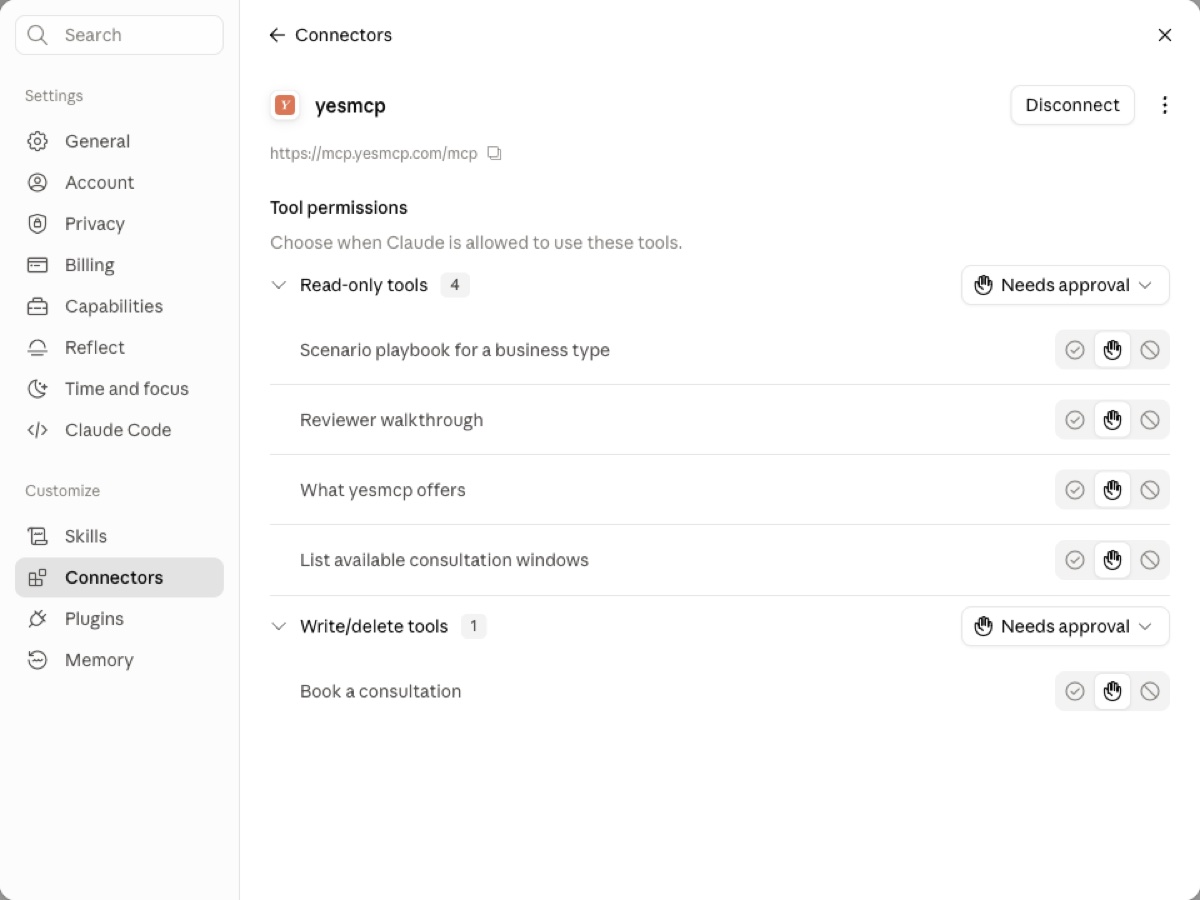
After adding, press Connect on the connector card. The permissions screen opens: set Read-only tools to Always allow so Claude stops asking before every read. Leave booking on confirmation: Claude will check with you before it books, which is exactly right.
3. Ask it something
Start a new chat and try any of these:
- “What could an MCP connector do for a dental clinic?”
- “What does yesmcp actually build, and how does an engagement run?”
- “Show me yesmcp's free consultation slots and book one for me.”
Here is what it looks like in the chat: Claude calls the connector's tools itself and answers from live data.
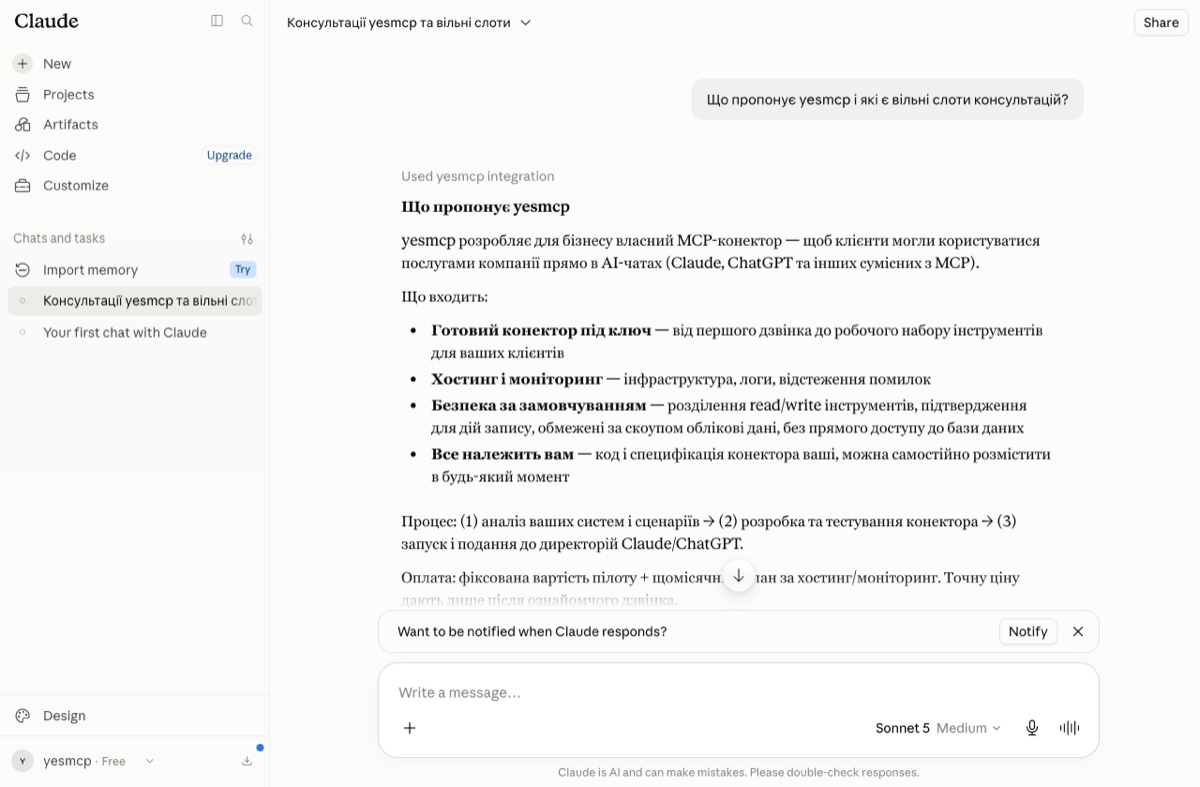
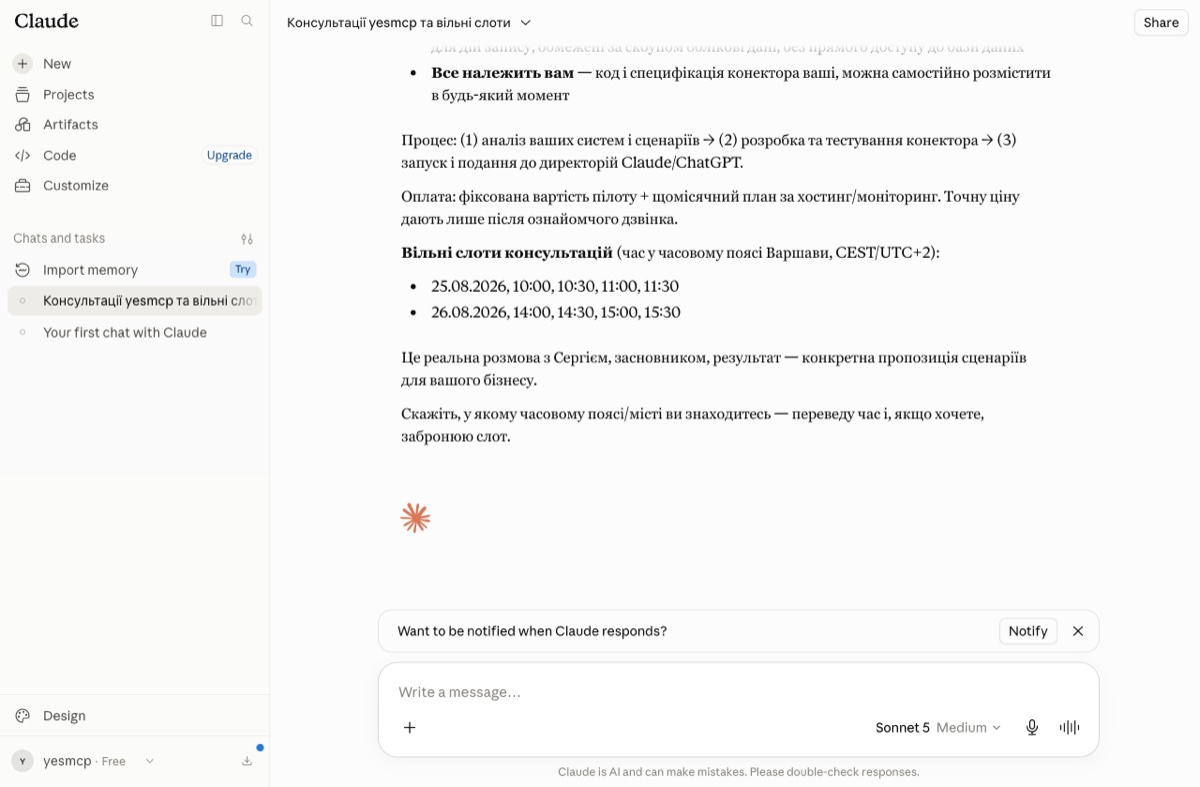
The booking is real: you pick a live slot, get a confirmation email immediately, and we meet you there. Every answer comes from our own published content, so the assistant cannot invent prices or promises.
What it knows about you
Nothing, until you book. A booking stores exactly three things: your name, your email address, and the topic you want to discuss. Details in our privacy policy.
Want one of these for your business?
This page is the product demo: what you just tried is what we build for clients, wired to their real schedule, catalog and orders. Book a call right in the chat above, or write to us: @yesmcp_bot · [email protected]